Subscribe

BackTrack My Way to the Home Office - or RV - Again

Product Review, technology
November 11th, 2008 No Comments »

This past summer, as my family camped outside Concord, Mass., as part of my home office adventure called Home Office Highway.com,  I sauntered into a great wood. I was seeking the spirit of Henry David Thoreau. I was looking for peace and solitude among the evergreens and the crickets.

And I became lost.

I’d ventured off the beaten path onto a road less traveled. And for good reason. As dusk grew dark, it gets freakin’ scary in deep woods unknown. And that’s exactly where I found myself — without a Bushnell BackTrack personal GPS nativation system, locator and compass ($73). Read More »

Road Warrior’s Home Office Laptop Portability: Flying Through Airport Security

Product Review, Product Reviews, The Road Warrior, technology
November 10th, 2008 No Comments »

Are you Steve?

Laptops and air travel seemingly go together like booze and car keys. Both get you stopped by authorities, but only one gets the nod once opened (that is, once the laptop is exposed for TSA’s trained eyes, you’re [usually] free to proceed]).

Laptop carry case companies have struggled to create TSA-approved cases that will speed the security process without forcing the laptop-carrying public from pulling out the hardware.

Belkin and Skooba seemingly have succeeded. The humorous graphic above was created to support the Skooba Checkthrough checkpoint friendly laptop bag ($139). The bag looks and functions like a high-end business case, but is designed and rigorously tested to be “checkpoint-friendly,” so you can run it through airport x-ray screening without removing your computer. Read More »

Creating an Efficient & Organized Digital Home Office on the Road

The Road Warrior, technology
November 1st, 2008 No Comments »

I was on a cruise this past week. With a ton of writing to be done, and little motivation to do it, replicating the home office on the high seas would be a challenge.

But even if I was motivated, I was stymied. My HP Tablet laptop had no CD drive, so I hadn’t installed Microsoft Office before leaving (sure, I could have logged on and downloaded it, but at nearly half a gig for the whole app, who has the time or needs the hassle?).

And do you know what it’s like to write completely in Notepad or Wordpad? Talk about laborious… Read More »

A (New) Mobile Home Office on the High Seas

The Road Warrior, technology
October 21st, 2008 No Comments »

Sitting on Deck Six aboard Royal Caribbean’s Enchantment of the Seas, Nicole is immersed in Twilight, the first in Stephenie Meyer’s vampire / fantasy series.

We’ve been at sea for four days, headed home tomorrow. I had all the tools to work from the Gulf of Mexico and the Caribbean Sea, except one key ingredient: The Spirit.

I’ve long been chided for working from vacation. Heck, Home Office Highway was all about working while on vacation, or taking, as I coined it, a “workation.”

But this time, I needed no motivation. I got so caught up in relaxation and fun that I decided to avoid work altogether. Read More »

When Broadband is Essential on the Road, You Might Already Be There

Uncategorized, technology
August 3rd, 2008 No Comments »

Our home office road trip up the Eastern Seaboard was made possible by a few things — an RV, my laptop, my wireless phone, and my broadband access service.

But was the last element even necessary?

Many teleworkers and road warriors already know this: If you’ve got a smartphone, you have Web access. With a USB cable and a piece of software, you can tether your laptop and surf with freedom.

Read Peter Wayner’s NYTimes review. Then, read your service agreement. With a simple download, and possibly a monthly fee, you might no longer need Wi-fi, a wireless broadband card, or much more than you already have in hand to access the Internet. And frankly, it’ll be safer than surfing in a public Wi-fi location, where snoops and other malcontents are perpetually seeking new laptops to ferret their way into.

Check it out. Then log on…

Product Review: Portable Printing - When Paperless Isn’t an Option

Product Review, technology
August 2nd, 2008 No Comments »

As home officers, road warriors and teleworkers pursue paperlessness, there are instances when “strictly digital” just isn’t an option.

Sometimes when I’m editing a large document, the screen is good. But when I need to mark it up, Track Changes just doesn’t cut it. I’d prefer to review on paper rather than on a computer screen.

During Home Office Highway, I had to print, fill out and sign a W-9 for a client. I didn’t want to leave my RV park just to print at a Design Print Ship Depot. So I powered up our portable printer. Ditto for when I had to ship a couple of packages.

For the trip, we were traveling with an HP OfficeJet 470. It completed the office in a compelling way.

GottaBeMobile had a pretty thorough review of the unit. Another was posted at TabletPCBuzz. My own thoughts would focus on portability (it was small, neat and easily retrieved and stashed again), speed (22 pages per minute in black, and 17 ppm in color), and functionality. It was plainly a power tool. It’s simple to set up, easy to power up, and equally easy to power down and stash away.

When space, speed, power and portability are important — in a device that costs around $250, the 470 is a pretty cool power tool.

$50 Million Means Home Office Calls, Data & Hannah Montana Get Thru

Communicating, technology
August 1st, 2008 No Comments »

Ever wonder how your wireless phone works?

Of course not. Just like a car or an Apple Computer, we don’t wonder about these things. We just turn them on, and they work. Miracles abound, but we don’t really think about them.

I had a chance recently to think about — and actually see — how my wireless phone works. It was pretty impressive.

I visited the Verizon Wireless switching facility, “Mobile Telephone Switching Office” or “switch” in Orlando. It’s a fortress where all Verizon calls to and from Central Florida feed through. This otherwise non-descript building, with its brick trim and secured entrance, represents the brain and spine that mean when I hit “Send,” my call gets sent. Or when I log on with my broadband access card, Gmail comes to my laptop. It knows all.

The name “Hal” came to mind.

My first impression, though? Cool. Read More »

Where Ya Goin’? Let the Nav Shout the Way…

The Road Warrior, technology
July 7th, 2008 No Comments »

Which road tracking and map tech to use was always a toss up in our car.

We’d traveled for years with traditional GPS devices, that British lass barking out orders and seemingly venting frustration whenever we’d Voyager Nav 4ignore her suggested turns. She was good and reliable. As the kids always warned, “Trust the technology.”

Then along came the Verizon Wireless and its VZ Navigator Version 4 application.

Our “traditional” retail GPS would just tell us, “Make left in 2 miles.” No street name audibly announced (thought it’s there in print on the screen). I have to admit, though, the British voice was something last summer when we took an impromptu detour onto the Blue Ridge Parkway — and she couldn’t convince us to “Make the next available turn…” Frustrated, she was. Read More »

The Workstation in Progress…

organization, technology
July 6th, 2008 No Comments »

I’ve planted my flag and staked my claim to the front-facing perch of the dinette table in our mobile home office. It is here I’ve created my workspace. And I’m settling in quite nicely.

With a few common supplies, a couple of hardware gadgets, and a little ingenuity, I’ve made it my own

My Foray Mobile Workmate has packed with my laptop (a killer new HP Compaq 2710P tablet ultraslim notebook) and my accessories abound. Ativa Power StationI’ve got several cameras (a Sony Cyber-shot 8.1 megapixel, and my two-year-old HP Photosmart 5.1 megapixel. Nicole brought her Casio Elixim. And the phones have cameras(of course). The Workmate fits perfectly between the driver and shotgun seats while moving. And when I’ve relocated to my office, it opens right beside me.But what’s really cool are the little tweaks I’ve made.

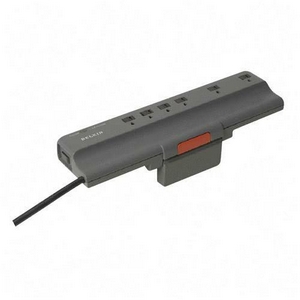
With a pair of inch-square patches of Velcro, I mounted the Ativa surge protector to thee wall behind me. Up and out of the way, it’s become the power charging station for the phones, cameras, printer, laptops and all our other accessories.

The other occurred in that place where A-Ha! meets the right-designed product. The dinette table has two cup holders set in holes routedAtiva USB Hub out from the wood. I popped out one of the holders, unscrewed the in-desk USB hub, and slip the top through the wood. I then screwed the backing behind the table, screwed it into place and — Viola! — I had an in-desk USB hub.

Working from an “alternative” home office requires a bit of make-shift thinking, a few epiphanies and some luck. More tweaks and creativity to come.

It’s positively a unique experience. Except Sponge Bob’s on the cable. So I guess it’s not that unique at all…

Road Trippin’ Tech Check List…

Pre-Trip Planning, technology
June 25th, 2008 No Comments »

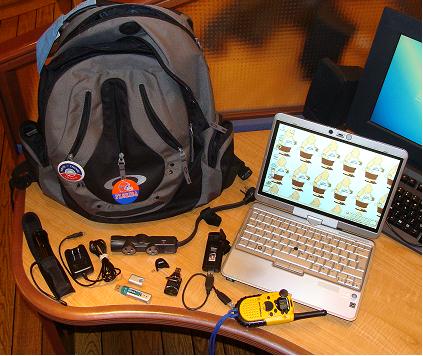
Hotel Home OfficePlates and utensils? Check. Bedding and toiletries? Check. Clothes, food and other necessities? Check, check, check. Once the mainstays of an RV trip have been bought, gathered and stored, then you turn to the office supplies.

When I leave on a business trip, I try to remember all the accessories and accoutrements I’ll need — lest I go without something or have to buy a replacement on the road. But what will I need for a three-week RV trip that seeks to truly replicate the office?

Let’s review the stuff… Read More »


   Designed By:  WP Theme

   With some exceptions, all content © 1999-2008 Jeffery D. Zbar Inc. All Rights Reserved.